
A backyard renovation rarely fails because nobody wants a nicer space. It fails because “nicer” means different things to different people—and because inspiration photos were never shot on your slope, your fence line, or under your trees. Weeks can disappear in vague conversations while budgets quietly harden around the wrong assumptions.
AI backyard design works best when it does one job exceptionally well: it gives you a shareable visual anchored to your yard, fast enough that you can still change your mind without paying for it twice.
That is the idea behind the AI Backyard Design Generator on AI backyard design at AI Yard Design Studio: you upload a clear backyard photo, choose how you actually want to use the space, add optional elements and written notes, and generate a high-resolution concept in about one to two minutes—then refine instead of restarting from zero.
Start with an honest photo (and the right expectations)
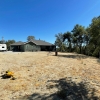
Backyard AI is not magic dirt. It is decision support. If your photo hides the driveway relationship, the property edge, a mature tree you intend to keep, or existing paving you must work around, the system will invent a different property—and you will blame the tool for your input. Use a smartphone shot if it is well-lit and shows enough context. The page supports JPG, PNG, or HEIC up to 20MB (PDF is not supported). If you do not have a photo yet, you can still explore the workflow using sample images, then return when you have a real baseline.Function-first planning: backyards are for living, not for “generic garden”
The backyard page is built around how you use the yard—outdoor dining, play, pets, fire pit gatherings, relaxation, entertainment, and more—rather than forcing everything through a single vague style button. That matters because circulation, seating, shade, and safety concerns change completely when your priority is a play area versus a fire pit and gathering zone versus a pet-friendly layout. Optional elements let you steer natural and built features, and additional requirements are where non-negotiables belong: privacy screening, low maintenance, “keep the oak,” dog traffic, or features you refuse.Location: a realism lever for planting and materials
Backyard planting fails in real life when it looks right online but behaves wrong in your climate. The generator includes optional location context so suggestions can lean toward more climate-appropriate plants and materials. Treat this as a bias toward plausibility, not a guarantee. You should still verify mature size, winter hardiness, water needs, invasive risk, and nursery availability—especially if you intend to spend real money on plants.Quick drafts vs best quality: explore, then present
Quick preview is built for layout ideas at lower cost (typically one credit), with softer detail and no on-image plant labels—ideal when you are comparing directions. Best quality targets sharper detail and may include on-image plant labels for discussion—useful when you want a more meeting-ready image—at 2–4 credits depending on resolution (1K / 2K / 4K). Credits exist because generation has real compute cost; new accounts receive free starter credits so you can try real outputs. The interface reflects what a run will use—iterate cheaply while you are flexible, then invest when you have a direction worth sharing.Fine-tune the backyard you mostly like
Backyards evolve in layers. After a base concept lands, you can use fine-tuning: swap pathway materials (stone, wood, concrete, gravel, cobble, brick), adjust planting emphasis (trees, flowers, lawn, herbs, evergreen, wildflowers), and add common amenities (lighting, seating, water, fire pit, playground, pet area), plus custom instructions for targeted edits. That workflow matches how projects actually move: circulation and hardscape logic first, planting structure second, accents last—rather than throwing away a mostly-right idea because one detail is wrong.When backyard AI stops—and professionals start
AI Yard Design Studio will not replace drainage analysis, permitting, utility locates, or construction sequencing. It will not certify species choices. What it can do—quickly—is align people around a backyard vision grounded in a photo, so your first meetings with a landscaper or nursery start with direction instead of a blank slate. If your project is not a residential backyard—if you are sketching parks, campuses, or commercial grounds—use the platform’s large-scale AI Landscape Design path instead of forcing the wrong brief through a backyard workflow.Try it this week
- Take a contextual backyard photo.
- Open the AI Backyard Design Generator and pick the function that matches how you live outside.
- Add optional elements and write requirements like a brief.
- Include location if climate believability matters.
- Run Quick preview to compare directions, then Best quality when you need a sharper shareable concept.
- Fine-tune in layers and verify assumptions locally.
Comments (0)